


WindAlert: Wind & Weather Map
4.7658.00 Reviews
App Specs
- Version
- 5.0
- Updated On
- License
- Free
- Downloads
- 100,000+
- Developer
- WeatherFlow
- Categories
- Weather
- Platform
- Android
Screenshots
 Analysis by AppCompare
I tend to check wind conditions before making outdoor plans, not just the chance of rain. A pleasant forecast can still mean an uncomfortable beach visit or a rougher-than-expected day on the water if the wind is wrong. That is the gap WindAlert: Wind & Weather Map is meant to fill: it puts wind information at the center, with broader weather details alongside it. I find that focus useful when conditions matter more than a simple sunny-or-cloudy summary.
A practical routine for checking conditions
My most useful approach is to treat the app as a planning aid rather than a promise about what will happen. I start by checking the area where I expect to spend time, then look at wind direction and speed together with the general forecast. Direction can change how exposed a beach, trail, or launch point feels, so a single number is rarely enough to make a decision. If the conditions look borderline, I check again closer to leaving instead of relying on an earlier glance.
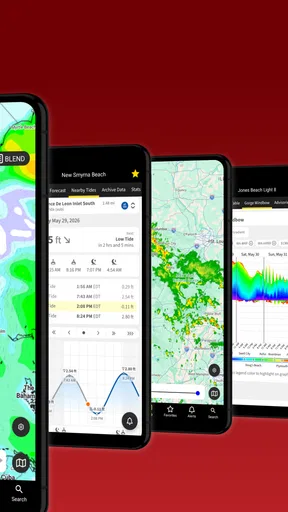
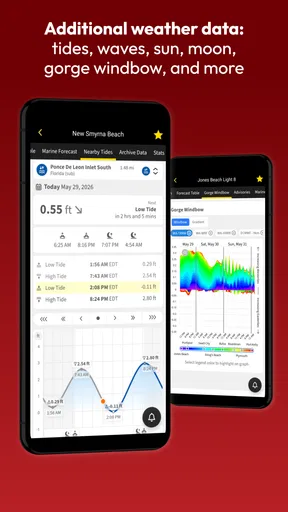
For a sailing day, that means checking the intended area before packing, then revisiting it before heading out. For a walk or picnic, the same habit helps me decide whether to choose a sheltered route or bring an extra layer. WindAlert includes alerts, tides, and a radar map, which can make that planning feel more complete than checking a basic forecast alone. I still use judgment: a forecast is guidance, not a guarantee, and local conditions can differ from what a map suggests.
Settings and choices worth reviewing
The app’s value depends partly on how thoughtfully I use its locations and alerts. I would set up the places I actually visit—such as a regular beach or marina—rather than cluttering the app with every destination I might someday consider. That keeps repeat checks quick and makes it easier to notice when a familiar spot has changed. Before relying on an alert, I would also review the conditions it covers and make sure they match the activity; a threshold that matters for a boat outing may be irrelevant for a short walk.
There is a useful trade-off here: alerts can spare you repeated manual checks, but they work best as a prompt to look again, not as an automatic go-or-no-go decision. I would not assume that receiving no alert means conditions are safe, or that an alert necessarily means plans must be cancelled. For anything with real safety consequences, I would compare the forecast with local guidance and conditions on the ground.
Faster habits for repeat outings
When I check the same places often, a repeatable routine is more valuable than tapping through every available view. I keep the location choice simple, check wind first, and then use the broader weather information to answer the practical question: do I go, change the time, or choose somewhere more sheltered? That order prevents a sunny icon from distracting me from the wind that may actually decide the day.
A realistic example is deciding whether to take a coastal walk after work. I can check the route area earlier in the day, note whether the wind direction suggests an exposed stretch, and look again before leaving. If conditions have shifted, I can choose a more protected route or postpone the walk. The app does not make that choice for me, but having wind, weather, and a map-oriented view in one place makes the decision easier to organize.
Worth Reading Before You Choose

EA SPORTS FC Mobile 26 Is a Bigger Football Game, but It Takes Time

Flipboard Shows What News Apps Must Do Beyond the Feed

Switching to Android Auto Means Rethinking Your Driving Routine

Google Calendar Makes a Crowded Week Easier to Manage

Ludo King Makes the Most of the Minutes Between Plans

Baby Panda World Brings Quick Play to Modern Phones, but Its Game Library Feels Busy
Where a wind-focused app is—and is not—the best fit
Many general weather apps are faster for a quick glance at temperature and rain. If I only need to know whether to carry an umbrella, I may prefer the familiar, minimal forecast on my phone. WindAlert makes more sense when wind direction, changing conditions, tides, or radar are part of the decision. It is particularly relevant to people who sail, surf, fish, or spend time in exposed coastal areas, as well as hikers who want to think beyond the temperature.
That focus can also be a limitation. Someone who wants a very simple daily forecast may find a wind-oriented interface more detail than they need, while a person planning a high-risk trip should not rely on one app as their sole source of information. I see it as a useful layer in a broader routine: check the app, consider the location and activity, and verify important decisions with appropriate local sources.
WeatherFlow develops the app, which is free to download and rated for everyone. It has a 4.7 average from around 3,400 ratings, and more than 100,000 installs. The current version is 5.0 and requires Android 5.0 or later. Some in-app items cost money, ranging from $5.49 to $179.99 per item, so I would check what an optional purchase includes before paying rather than assuming every advanced option is part of the free experience.
Putting WindAlert to work
I use this section to focus on the small routine choices that make a wind forecast more useful: checking the right place, deciding what change would affect my plans, and treating alerts as prompts rather than guarantees. That approach matters most when I’m choosing between an exposed spot and a sheltered alternative, where the same forecast can lead to different decisions.
First Impressions
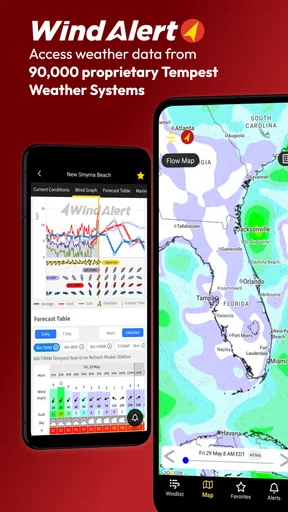
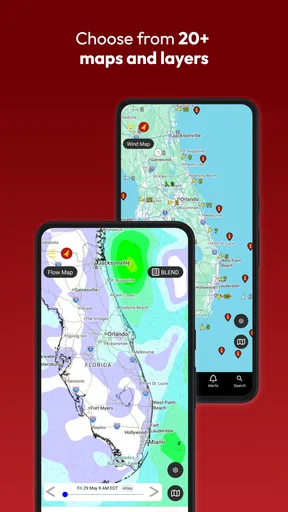
When I first downloaded WindAlert: Wind & Weather Map, I was immediately drawn to its intuitive design. The interface is clean, making it super user-friendly. I didn't have to fumble around trying to find the information I needed. Everything is laid out neatly, and the color-coded wind maps are not just informative but also quite visually appealing.
Features That Stand Out
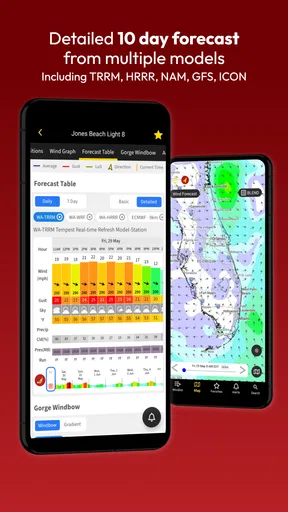
One of the standout features of this app is its comprehensive wind and weather map. It provides detailed forecasts, including wind speed, direction, and other essential weather conditions. There's something incredibly satisfying about seeing the wind patterns displayed in real-time. It's like having a personal weather station right in your pocket.
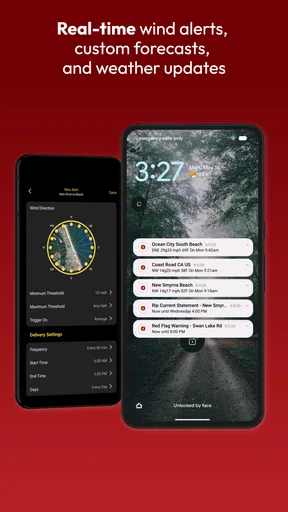
Another great feature is the alert system. You can set up custom alerts for specific wind conditions, which is a game-changer if you're planning activities that depend on precise weather conditions. I remember a time when I was planning a weekend sailing trip, and the app's alert saved me from some unexpected gusty winds.
Ease of Use
Using the app is a breeze (pun intended). The navigation is straightforward, and I appreciate that it doesn't bombard you with unnecessary information. You get what you need, when you need it. The app also supports multiple locations, so whether I'm checking the weather for my local beach or planning a trip across the country, I've got everything I need at my fingertips.
Why It Matters
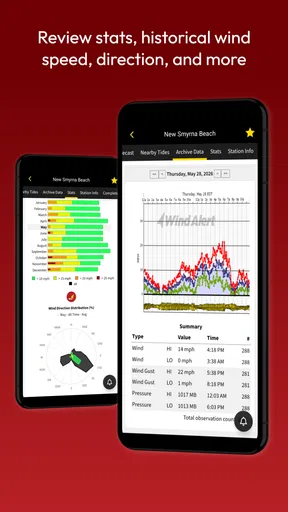
We all know how unpredictable weather can be, and having accurate, up-to-date information is crucial, especially for outdoor enthusiasts. WindAlert offers not just real-time updates but also historical data, which can be incredibly useful for understanding weather patterns over time. It’s like having a weather guru on speed dial.
The app also includes a community feature where users can share conditions, photos, and tips. It's like being part of a global network of weather enthusiasts, sharing insights and experiences.
Room for Improvement
No app is perfect, and while WindAlert ticks most of the boxes, there are a few areas where it could improve. Occasionally, I've noticed that the app can be a bit slow to load, especially when using it in areas with spotty internet coverage. It would be great to see some improvements in speed and offline capabilities.
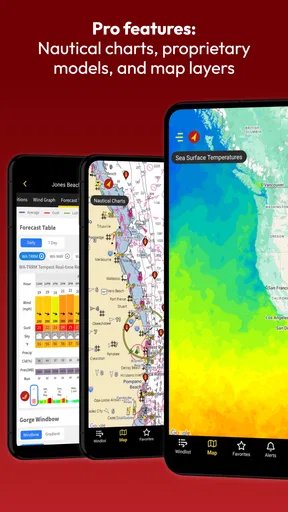
Also, while the basic features are free, some of the more advanced options require a subscription. This is understandable, as maintaining such a detailed and accurate weather service isn't cheap, but it’s something to keep in mind if you're on a budget.
The Bottom Line
Overall, WindAlert: Wind & Weather Map is a fantastic app for anyone who loves the outdoors and needs reliable wind and weather information. It’s packed with features that are not only useful but also easy to navigate. While there are a few areas that could be improved, the positives far outweigh the negatives.
Whether you're a casual beachgoer or a serious sailor, this app is definitely worth checking out. It's become an essential part of my outdoor toolkit, and I have no doubt it will be for you too. So, if you're ready to take your weather tracking to the next level, give WindAlert a try. You won't be disappointed.
Pros
- Accurate wind forecasts for various locations.
- User-friendly interface with easy navigation.
- Customizable alerts for specific wind conditions.
- Real-time weather updates and radar maps.
- Wide range of weather parameters available.
Cons
- Heavy on battery usage during prolonged use.
- Some features require a premium subscription.
- Occasional loading delays in remote areas.
- Limited offline functionality for data access.
- Ads can be intrusive in the free version.
FAQs for WindAlert: Wind & Weather Map
What is WindAlert: Wind & Weather Map used for?
WindAlert is a comprehensive weather application designed for outdoor enthusiasts who need accurate wind forecasts and weather conditions. It provides real-time data on wind speeds, direction, and weather patterns, helping users plan activities such as sailing, surfing, or hiking. The app's detailed maps and alerts ensure you stay informed about changing conditions.
How accurate is the weather data provided by WindAlert?
WindAlert sources its data from reliable meteorological organizations and integrates it with real-time user reports. The app uses advanced algorithms to enhance accuracy, offering highly precise wind and weather forecasts. Users often find that the information provided is dependable for planning outdoor activities, although it's always wise to double-check conditions locally.
Does WindAlert offer customizable alerts for weather changes?
Yes, WindAlert allows users to set up customizable alerts for specific weather conditions, such as changes in wind speed or direction. This feature ensures you receive timely notifications about weather changes that could impact your plans, making it easier to adjust your schedule or take necessary precautions.
Is there a subscription fee for using WindAlert?
WindAlert offers both a free version and a premium subscription. The free version provides basic weather data, while the premium subscription unlocks advanced features such as detailed forecasts, additional map layers, and ad-free usage. The subscription is ideal for users who require more in-depth information and an enhanced user experience.
Can WindAlert be used offline?
WindAlert requires an internet connection to provide real-time data and updates. However, once data is downloaded, it can be accessed offline for a limited period. This feature is useful when planning trips to areas with limited connectivity, allowing users to refer to recent forecasts and maps even without a connection.


